Interfaces
Interfaces define a contract - a set of methods and properties that a Function Block or Class must implement. They are a powerful tool for writing modular, testable, and extensible code.
Unlike Function Blocks, interfaces do not hold state or contain implementation logic. Instead, they define the shape of a component, making your software easier to extend and maintain.
Purpose
Interfaces are ideal when you want to define common behaviour across different types of objects, without enforcing a specific implementation.
Use interfaces to:
-
Decouple logic from specific implementations
-
Enable polymorphism (e.g. multiple FBs implementing the same interface)
-
Simplify unit testing via mocking/stubbing
-
Simplify scaling and the addition of new components/ variations
For example, if you have different motor variations, they could all implement a common IMotor interface with methods like Start(), Stop(), and a property like IsRunning.
Key Concepts
Interface: A named contract that defines methods and/or properties to be implemented.
Implements: A keyword used to declare that a Function Block or Class adheres to a specific interface.
Polymorphism: The ability to use objects of different types interchangeably via a common interface.
How-To
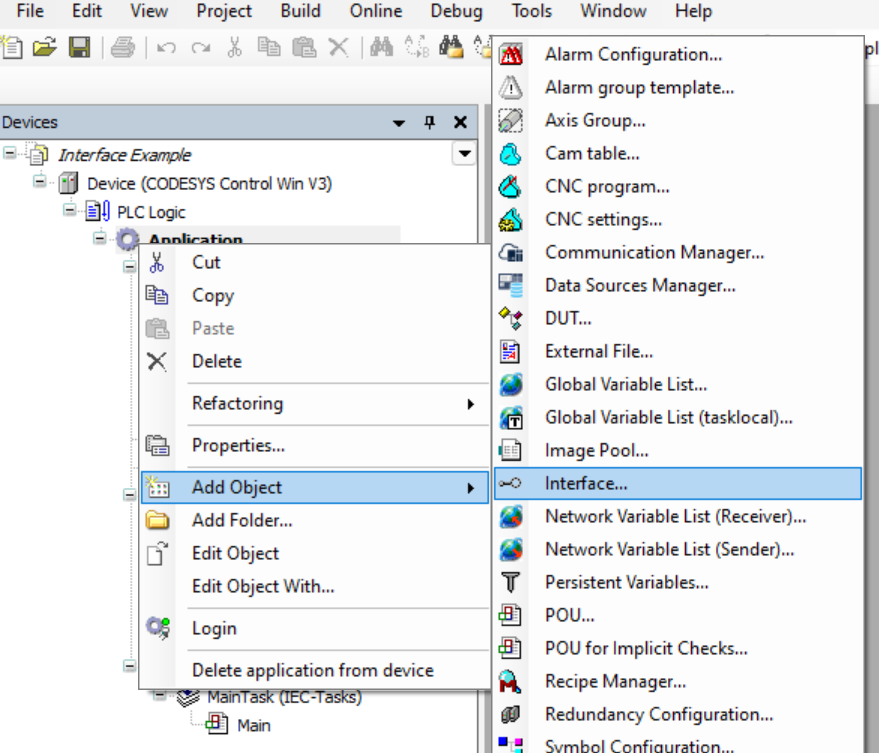
Adding a new interface
To add an interface to your project:
--> Right-click Application (in the device tree)
--> Click Add Object
--> Select Interface
Defining an interface
You will now see an editor where you can define your interface members:
Methods (without implementation)
Properties (optional)
Implementing an Interface
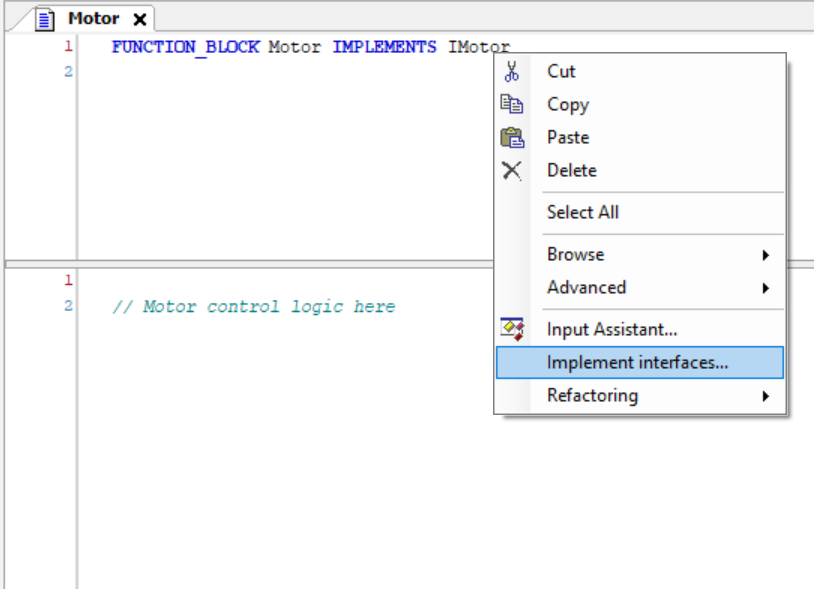
To implement an interface in a Function Block you use the keyword IMPLEMENTS followed by the name of the function block.
You can let the CODESYS IDE implement add the interface components by right clicking and selecting implement interfaces...
Tips
Interfaces can only contain method/property signatures, no logic.
You can implement multiple interfaces in one Function Block.
Use interfaces to pass abstract dependencies into higher-level components.
Example
Clone and check out the project in examples folder!