Text Lists
Text Lists provide a simple way to manage and store strings locally (like error messages or descriptions). Instead of hardcoding text, you can reference a string by its ID helping to keep your code clean and maintainable whilst setting you up for multi-language support.
Purpose
Text Lists are useful for:
-
Keeping lengthy strings out of your user logic
-
Making your project multi-language friendly
-
Centralising descriptions (e.g., alarm messages, error descriptions)
-
Optimising memory compared to extensive string arrays/ constants
How-To
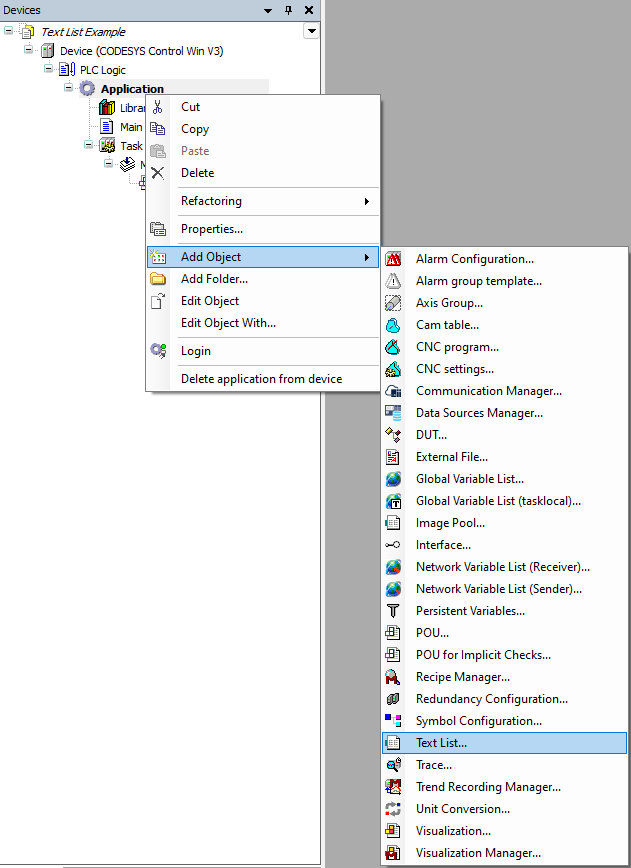
Adding a text list to your project
To add a property to your function block:
--> Right-click the Application node
--> Select Add Object
--> Choose Text List
Adding Entries
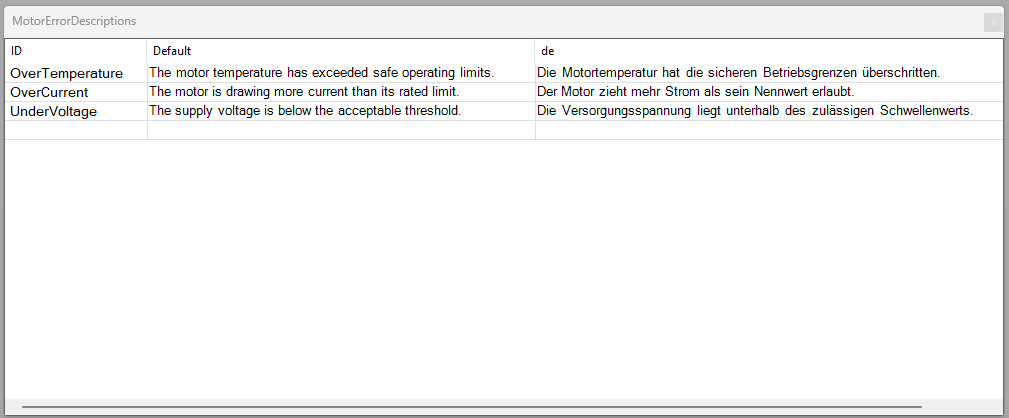
Simply double-click on the text list in your device tree to open it and start adding rows.
Each entry has:
ID - A string used in your code to look up the description
Default Text - The English (or fallback) version of the message
Language columns - Add additional languages like de, fr, etc.
You can see the additional column with the header 'de' providing German translations.
Accessing strings in code
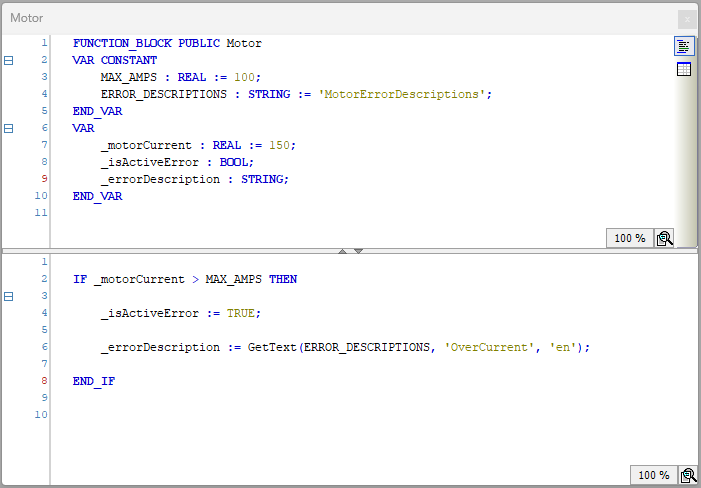
To simplify text list access we create a GetText function.
This wraps up DynamicTextGetText allowing us to pass additional parameters such as language and a default return value.
From the motor function block we can easily retrieve error descriptions in any of our configured languages.
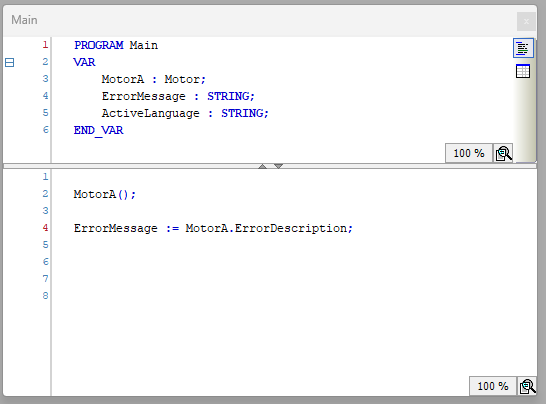
Finally we can call the get method (implicit) on the ErrorDescription property in MotorA.
Tips
Try using enums to control access to the text list elements. This can help to prevent ID typing errors and allow the compiler to flag any errors.
Example
Clone and check out the project in the examples folder!