Properties
Properties are special members of a Function Block or Class that act like variables but with built-in getter and/or setter logic. They let you safely expose or control access to internal state — without exposing internal variables directly.
Think of them like a blend between a variable and a method. You can read or write them like fields, but behind the scenes they can also run logic.
Purpose
Properties are useful for:
-
Providing controlled access to internal variables
-
Filtering and carrying out validation before assigning to a variable
-
Keeping code clean and easy to read
-
Supporting good encapsulation without cluttering the interface
How-To
Adding a property to a function block
To add a property to your function block:
--> Right-click your Function Block
--> Select Add Object
--> Choose Property
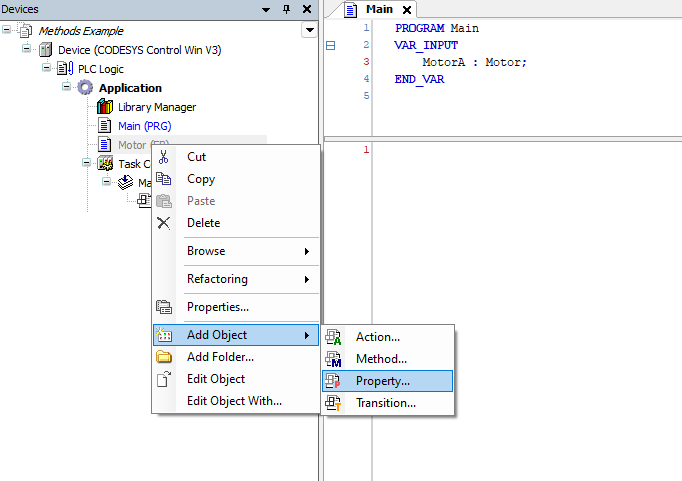
Configuring a property
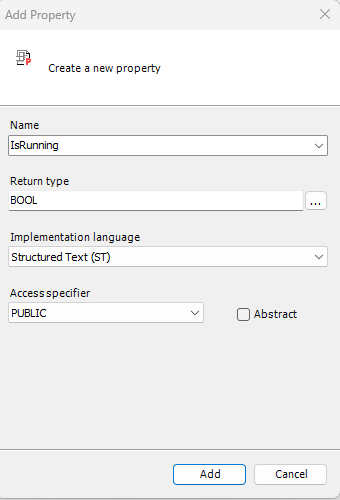
You’ll see the Add Property dialog.
Firstly, give your property a clear and meaningful name (or not, your choice...)
You then have the option to select a return type. Your property can return a data type of your choosing.
Just like with Function Blocks and Methods, you can assign an access specifier to control how the property is exposed:
Public - Makes the Function Block, method, or property accessible from anywhere in the application.
Private - Restricts access to within the same Function Block or class — not visible to external code.
Protected - Accessible only from within the Function Block and its derived types.
Internal - Accessible only within the same library or application scope, but not visible outside it.
Access specifiers give us control over how the property can be viewed and interacted with from outside the function block.
Access to a property can also be restricted by removing the Get or Set Methods. For example, removing the Set method completely will ensure that the property is exposed as READ-ONLY to exerything outside of the function block.
Here’s a screenshot from the example project showing a property being accessed via its Get and Set methods. You can see how the return value (a BOOL in this case) is captured after the method completes.
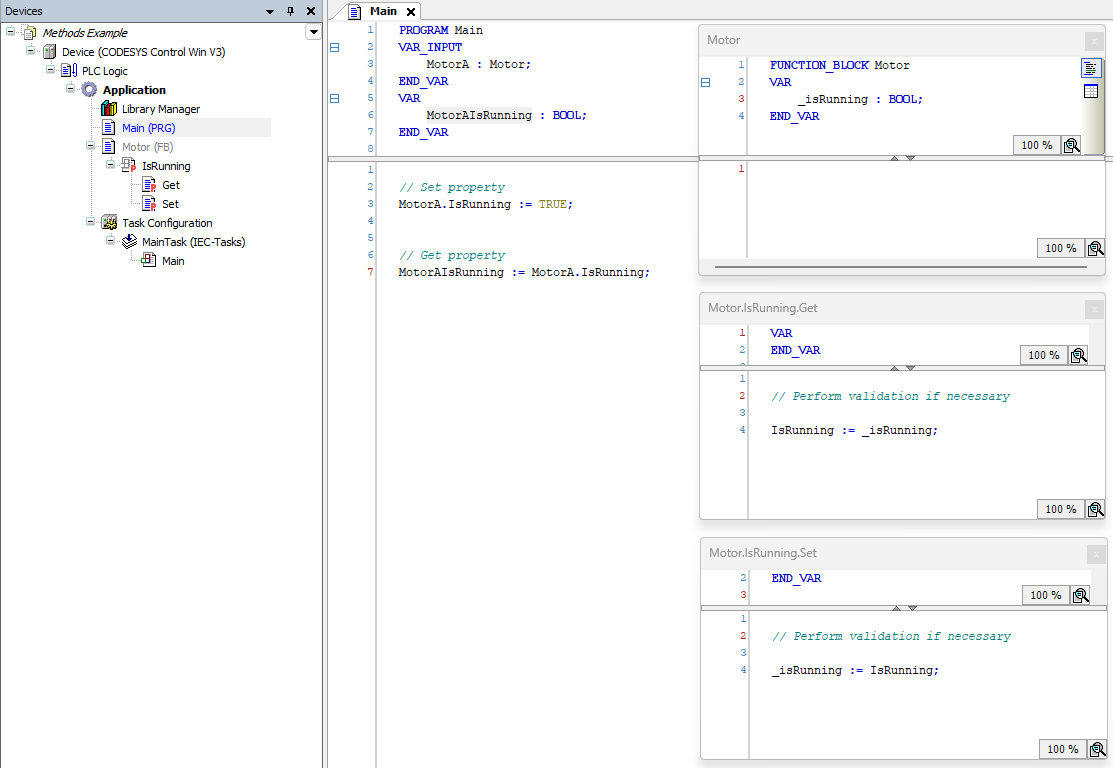
Example
Clone and check out the project in the examples folder!