State Machine
A state machine is a common design pattern used to manage the states and transitions of a process. Each state defines specific behaviors and transitions based on events or conditions.
State machines are especially useful for controlling sequences of events and make it easy to identify the current state of a machine or process during debugging.
There are many different ways to implement a state machine. Many engineers choose to use SFC (Sequential Function Chart), which offers a clear, graphical approach. However, in this example, I’ll demonstrate how to implement a state machine using Structured Text (ST).
The example counts an integer value (scanCount) that increments by 1 each scan. Once the count reaches (or surpasses 200) the count is reset and the state is changed.
Purpose
State machines help you:
-
Organise complex logic into clear states
-
Make system behavior easier to understand
-
Separate code belonging to specific states, simplifying maintenance
-
Control transitions between states based on events or conditions
Key Concepts
State: A distinct mode of operation with specific behaviors.
Transition: Condition or event triggering a change from one state to another.
State Variable: Variable that stores the current state.
State Handler: Code that runs logic based on the current state.
How-To
Create a State Machine Handler
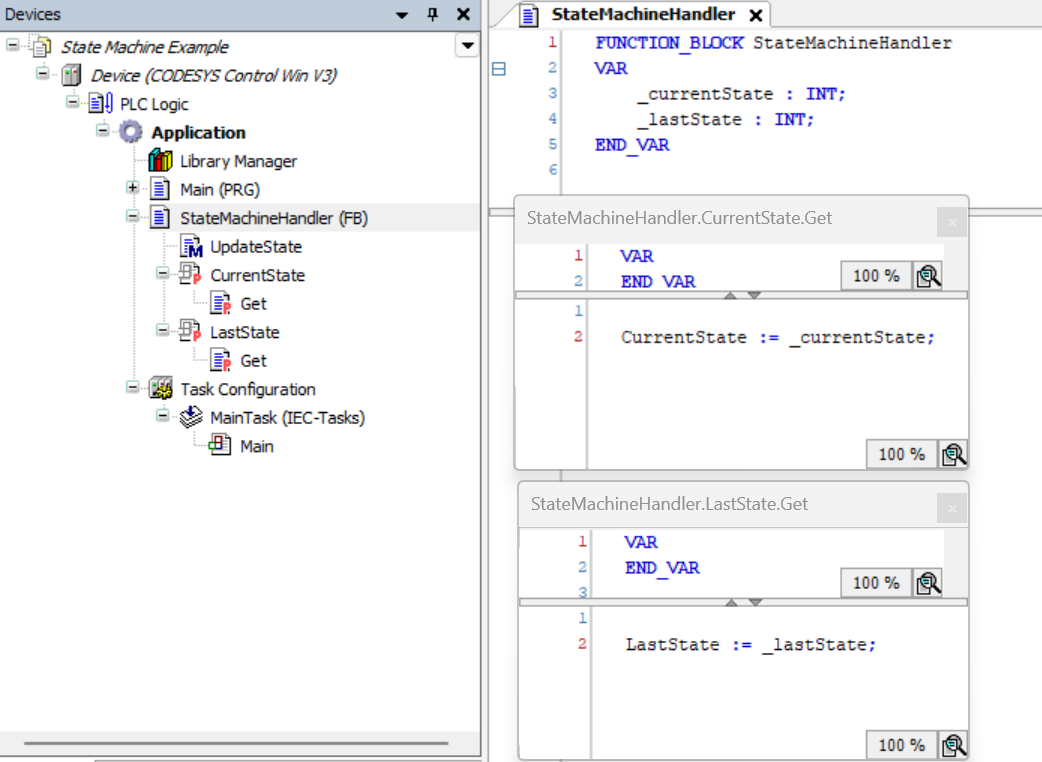
First create a function block that encapsulates the logic for managing states and transitions. This basic example handles updating the current state whilst also maintaining a record of the previous state. You can easily improve this by adding additional functionality such as logging or built in validation.
--> Add a function block called StateMachineHandler (or whatever you prefer)
--> Create two readonly properties (delete Set methods) - CurrentState and LastState
--> Create two local variables _currentState and _lastState (exposed via our properties)
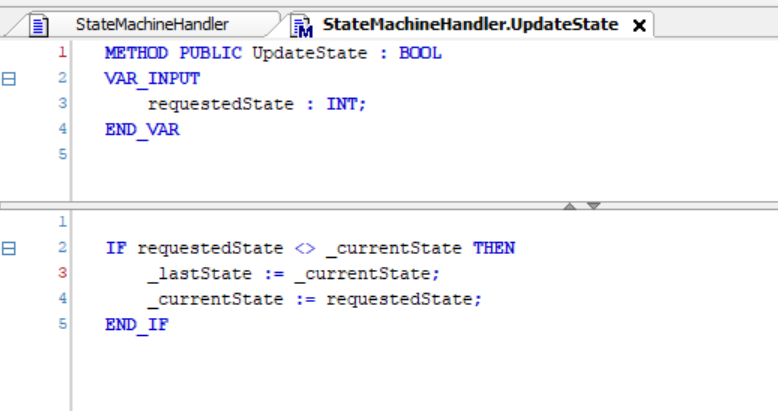
Add a method to update state
Now we add a method that allows us to request a new state.
We check that we are not already in the requested state.
If we aren't, we store the current state in _lastState and then update our _currentState.
Add a case statement
Now we need a case statement to isolate each of our different states.
Here we are using an Implicitly defined enum for state values and because the underlying value for each of the states is INT, we can easily pass the required state into our UpdateState() method.
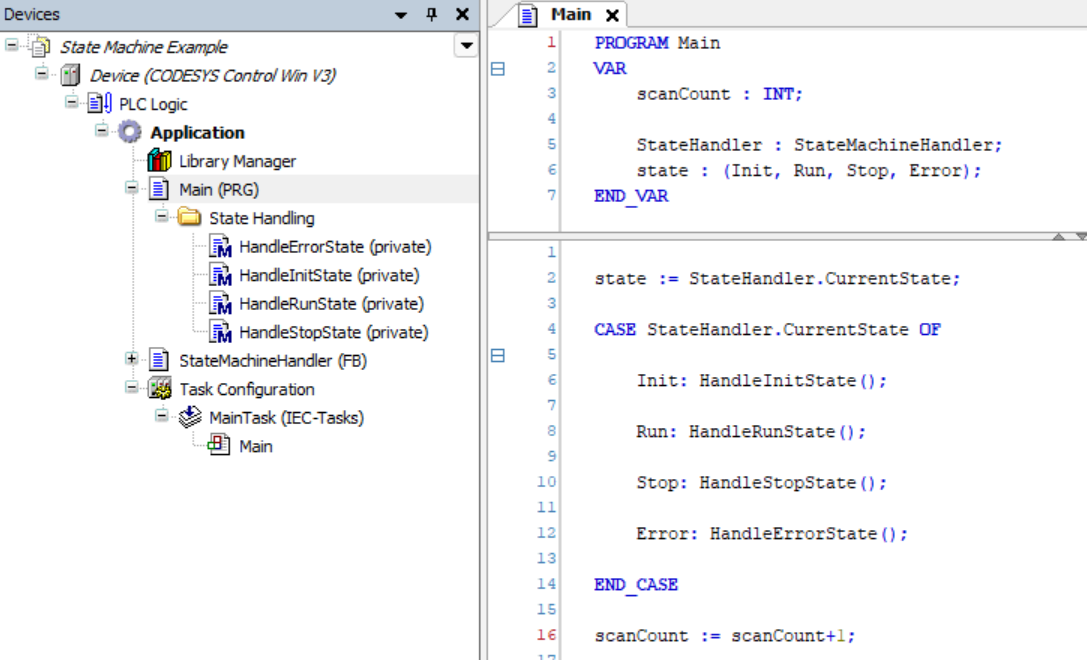
Optional - Create state handler methods
I also like to create private handler methods for each state. This keeps the case steatement short and easy to read.
The methods here are private because we don't want them to be called from outside this POU.
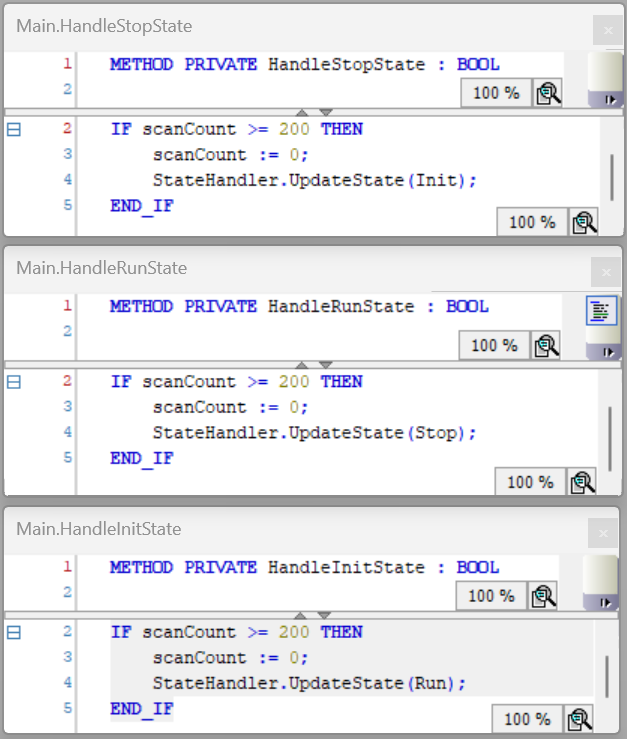
Example
Clone and check out the project in examples folder!